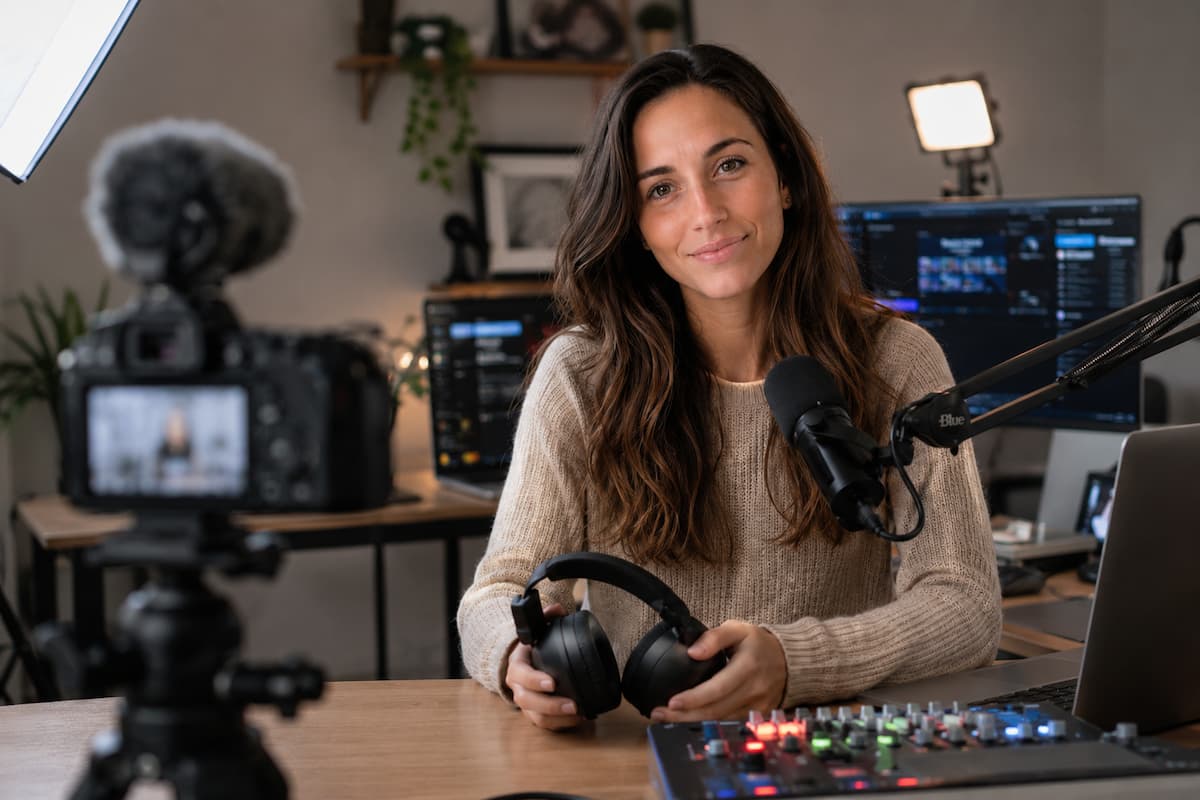
Walk into any electronics store and the streaming section looks like a tech arms race. RGB lights, motorized faders, cameras that cost more than a used car, and enough cables to lasso the moon. The message is clear: spend more, stream better. Except it isn’t true. The difference between a stream that looks professional and one that looks amateur is rarely about price tags. It comes down to knowing which tools actually matter in the production chain and which ones are just expensive desk decorations.
This breakdown focuses on function over flash. Each tool category is evaluated on what it actually does in a stream, not what the marketing claims. The goal is a setup that produces consistent, high-quality output without requiring a second mortgage or a computer science degree to operate.
Capture: Getting the Signal Into the Machine
Before anything can be streamed, it needs to be captured. This is the foundation of the entire production chain. A weak capture means everything downstream suffers, regardless of how expensive the downstream gear becomes.
For PC-based streaming, software capture through OBS Studio handles gameplay, screen content, and window sources without additional hardware. This is the most efficient path for single-PC setups. Adding a capture card to a single-PC setup introduces latency, complexity, and potential driver conflicts with zero quality benefit. Capture cards exist for one purpose: bridging external sources into the streaming PC. Consoles, secondary cameras, and dedicated gaming PCs all fall into this category.
| Source Type | Capture Method | Selection Criteria |
| PC gameplay (same machine) | OBS Game/Window/Display Capture | No hardware needed. Monitor GPU usage to ensure capture doesn’t overload the rendering pipeline. |
| Console or secondary PC | USB 3.0 capture card | USB 3.0 is mandatory for sub-100ms latency. USB 2.0 cards add a 500 ms+ delay that destroys audio sync. |
| Dedicated camera (DSLR/mirrorless) | Cam Link or equivalent HDMI-to-USB converter | Ensure camera outputs clean HDMI (no overlays). Verify continuous power capability to prevent midstream shutdown. |
📊 The Latency Reality Check
Latency in capture devices is measured in milliseconds, but the practical impact is measured in viewer experience. A 500ms delay between gameplay and webcam reaction makes the streamer look disconnected from their own content. Viewers notice subconsciously even if they can’t name the problem. USB 3.0 capture cards typically deliver 50-80ms latency. Internal PCIe cards can reach 20-30ms. Software capture on the same machine is effectively instantaneous. The threshold for “acceptable” varies by content type—fast-paced competitive gaming demands lower latency than casual strategy or creative streams. Match the capture method to the content requirements, not the budget ceiling.
Audio: The Production Layer That Determines Retention
Industry data consistently shows that audio quality impacts viewer retention more than video quality. A pixelated stream with clear audio maintains an audience longer than a crisp 4K stream with distorted or unbalanced sound. The audio production chain deserves disproportionate attention relative to its visual counterparts.
The chain breaks down into three functional segments: transduction (microphone), conversion (interface), and processing (software or hardware). Weakness at any point degrades the entire output.
Microphones divide into two primary categories for streaming: dynamic and condenser. Dynamic microphones are directional, rejecting off-axis sound. This makes them ideal for untreated rooms where keyboard clicks, computer fans, and ambient noise compete with the voice. Condenser microphones are more sensitive and capture a broader frequency range, but they capture everything—including room reflections and distant noise. For home streaming environments, dynamic microphones are the safer default unless the recording space has been acoustically treated.
Audio interfaces convert analog microphone signals to digital data. The critical specification is preamp quality, not channel count or visual design. A clean preamp with low self-noise (measured as EIN, Equivalent Input Noise) allows lower gain settings, which reduces the amplification of room noise and electrical interference. Two-channel interfaces are sufficient for nearly all streaming scenarios. Additional channels add complexity without practical benefit unless running multiple microphones or line-level instruments simultaneously.
Processing can occur in hardware (mixers, outboard compressors) or software (VST plugins within OBS or a DAW). Software processing is more flexible, less expensive, and easier to modify midstream. Hardware processing offers zero-latency monitoring and physical controls, but at significantly higher cost and with fixed routing that complicates troubleshooting. For most streamers, software VST chains provide 95% of the processing benefit at 5% of the hardware cost.
⚠️ The Interface Specification Trap
Audio interface marketing emphasizes sample rates (96 kHz, 192 kHz) and bit depths (24-bit, 32-bit float) that exceed practical utility. Human hearing extends to approximately 20 kHz, making a 48 kHz sample rate fully sufficient for capture. Higher sample rates increase file sizes and CPU load without audible benefit for voice content. Similarly, 24-bit recording provides 144dB of dynamic range—far more than any microphone or preamp can deliver in real-world conditions. Focus on preamp noise floor (EIN below -125 dBu) and driver stability rather than specification numbers designed to impress rather than inform.
Control: Managing Complexity Without Overwhelming the Operator
Streaming requires real-time management of multiple systems: scene switching, audio muting, graphic triggering, chat interaction, and content performance. Attempting this through keyboard shortcuts and mouse clicks creates cognitive load that degrades the actual content.
Programmable macro controllers solve this by consolidating frequent actions into dedicated physical buttons. The Stream Deck is the most visible example, but the category includes generic USB macro pads, MIDI controllers repurposed through software, and even smartphone apps that function as wireless control surfaces.
The selection criteria for control surfaces are the following:
- Physical button count matching actual workflow needs (excess buttons create visual clutter and increase the chance of mis-presses)
- Software integration with the streaming platform and overlay systems
- Customizable visual feedback (LCD icons, RGB backlighting, or tactile differentiation) that allows operation without looking down
- Reliable driver support that doesn’t break with OS updates
A common error is over-automation. Controllers with 32+ buttons encourage mapping every conceivable function, which increases setup complexity and reduces operational reliability. Start with three to four critical functions: start/stop stream, microphone mute, primary scene switch, and one programmable slot for context-specific needs. Expand only after these core functions become automatic muscle memory.
✅ The Control Surface Efficiency Test
Measure the time from decision to execution for common stream operations. How long does it take to mute the microphone using a keyboard shortcut versus a dedicated button? How long does it take to switch scenes using mouse clicks versus a single button press? Operations that occur more than five times per stream should be mapped to the fastest possible input method. Operations that occur less than once per stream probably don’t need dedicated hardware control. The goal is reducing friction on high-frequency actions, not eliminating all mouse usage. A controller with six well-chosen buttons outperforms a controller with thirty poorly chosen ones.
Lighting: The Most Underrated Production Investment
Camera sensors require photons to produce clean images. Insufficient light forces the sensor to amplify the signal electronically, which introduces noise—visible as grain in the image. Better lighting improves image quality more effectively than upgrading the camera, because lighting addresses the root cause (insufficient signal) while camera upgrades merely provide more sensitive sensors that still struggle in poor light.
The minimum viable lighting setup for streaming consists of three elements:
Key light: The primary illumination source. Positioned at approximately 45 degrees from the subject and elevated 15-30 degrees above eye level. This creates dimensional modeling on the face—shadows that define features rather than flattening them. LED panels with adjustable color temperature (bi-color) allow matching ambient light conditions or creating deliberate mood contrasts.
Fill light: Softens shadows created by the key light. Can be a second dimmer light, a reflector surface (white foam board or reflector disc), or simply a light-colored wall. The fill should be approximately half the intensity of the key to maintain shadow definition without harsh contrast.
Background separation: A light source aimed at the background behind the subject. This prevents the subject from visually merging with the background and adds depth to the image. Can be a dedicated accent light, an RGB strip for color contrast, or simply a window providing natural backlight.
🔦 The Color Temperature Decision Matrix
Color temperature is measured in Kelvin (K) and fundamentally alters the emotional tone of a stream. Daylight-balanced sources (5600K) appear crisp, clinical, and energetic. They suit competitive gaming, educational content, and any context where alertness and precision are desired. Tungsten-balanced sources (3200K) appear warm, intimate, and relaxed. They suit casual conversation, creative streams, and contexts where comfort and approachability are priorities. Mixed temperatures in the same frame create visual dissonance that viewers perceive as “unprofessional” even if they cannot identify the specific cause. Select a single color temperature for all light sources and maintain it consistently across all streams. Changing temperature between streams without explanation creates brand inconsistency that undermines viewer recognition.
Monitoring: Quality Assurance in Real Time
Monitoring is the feedback loop that allows immediate detection of production problems. Without monitoring, errors persist until a viewer reports them—often minutes after they began, during which time audience members have already left.
Effective monitoring requires two distinct channels:
Technical monitoring: Verification that the stream is encoding correctly, reaching the platform, and displaying as intended. This includes OBS statistics panels (dropped frames, encoding lag, rendering lag), platform dashboards showing stream health, and a secondary device displaying the actual stream output (not the OBS preview, which is pre-encode). The secondary device—typically a smartphone, tablet, or old laptop—reveals compression artifacts, audio desync, and frame drops that the local preview cannot show.
Content monitoring: Verification that the audio mix, visual composition, and presentation quality meet standards. This requires accurate headphones (flat frequency response, closed-back design to prevent microphone bleed) and periodic review of the stream output on the secondary device. Monitoring through consumer headphones with bass boost or “gaming” EQ profiles creates a false sense of audio quality that doesn’t translate to the actual broadcast.
⚡ The Monitoring Redundancy Principle
Single points of failure in monitoring create blind spots. A streamer who monitors only through headphones cannot detect microphone failures that affect the broadcast but not the local monitor path. A streamer who monitors only through the platform dashboard cannot detect encoding artifacts that the platform’s transcoding masks. A streamer who monitors only through a secondary device cannot detect headphone-specific audio issues. The minimum viable monitoring setup includes three independent verification paths: local software meters (OBS stats), personal monitoring (headphones), and remote verification (secondary device showing the actual stream). Each path catches failures the others miss. Eliminating any path increases the risk of undetected problems.
Software: The Invisible Infrastructure
Hardware captures and processes signals. Software orchestrates, routes, and delivers them. The software stack is where production efficiency lives or dies.
OBS Studio serves as the central production hub. It handles scene composition, audio mixing, encoding, and platform delivery. The open-source version is preferred over branded forks (Streamlabs OBS) for stability, resource efficiency, and absence of monetization features that create conflicts of interest.
Virtual audio routing (Voicemeeter, VB-Cable, or similar) allows splitting audio into independent channels that can be processed and routed separately. This enables scenarios like sending Discord audio to the streamer’s headphones but not the broadcast, or applying different compression settings to game audio versus microphone audio.
VST plugins provide professional audio processing within OBS. EQ, compression, limiting, and noise reduction can all be applied without external software. ReaPlugs (Reaper’s plugin suite) offers broadcast-quality processing at no cost, with CPU efficiency that rivals commercial alternatives.
Documentation and planning tools (Notion, Google Docs, and physical notebooks) prevent operational chaos. Run-of-show documents, scene lists, sponsor read scripts, and technical troubleshooting guides should be accessible without minimizing the streaming software or breaking focus.
Redundancy: The Insurance Layer
High-quality production is not just about optimal conditions. It is about maintaining acceptable quality when conditions degrade. Redundancy planning addresses the inevitable failures that occur in any complex system.
Critical redundancy categories:
- Audio: A backup microphone (even a low-quality USB headset) that can be deployed in under 30 seconds if the primary microphone fails. The backup does not need to match primary quality—it needs to prevent complete audio loss.
- Internet: A secondary internet connection (mobile hotspot, secondary ISP) pre-configured with streaming platform settings. Switching to lower resolution on a backup connection maintains the stream where a complete outage would not.
- Power: Uninterruptible power supply (UPS) for the streaming PC, router, and modem. Sufficient runtime to survive brief outages (30 seconds to 5 minutes) or allow graceful shutdown during extended outages.
- Content: A pre-built “technical difficulties” scene with looping graphics and music that can be deployed instantly while problems are resolved. This transforms a dead stream into intentional content.
🚫 The Redundancy Overbuild Trap
Redundancy planning can escalate into expensive overbuilding. A second identical camera, a duplicate $400 microphone, a backup streaming PC—these are capital expenditures that may never be utilized. The more efficient approach is planning rather than duplication. Know the exact steps to deploy a $30 USB headset if the primary microphone fails. Know the exact hotspot settings and bitrate reduction needed if fiber drops. Know the exact OBS scene to switch to if capture fails. These plans cost nothing to create and execute faster than fumbling with backup hardware that hasn’t been tested in months. Redundancy is an operational discipline, not a shopping list.
The essential toolkit for high-quality stream production is smaller than marketing suggests and more focused than enthusiast culture implies. Each tool earns its place by solving a specific production problem that cannot be solved more efficiently by another means. The streamer who masters a lean, well-understood toolkit outperforms the streamer who accumulates gear without understanding the problems it was purchased to solve.
Quality emerges from intentionality, not inventory. Select tools deliberately. Learn them thoroughly. Replace them only when they become genuine bottlenecks. The rest is distraction.

Riley Bennett writes about content creation, streaming gear, and building efficient creator workflows at estergamer.com. After spending years testing equipment and figuring out what actually works versus what just looks impressive, Riley focuses on practical, no-nonsense advice for beginners starting from scratch. When not writing, Riley enjoys exploring new tech, refining home studio setups, and helping fellow creators skip the expensive mistakes that slow most people down. The goal is simple: honest guidance that gets real results without the marketing fluff.