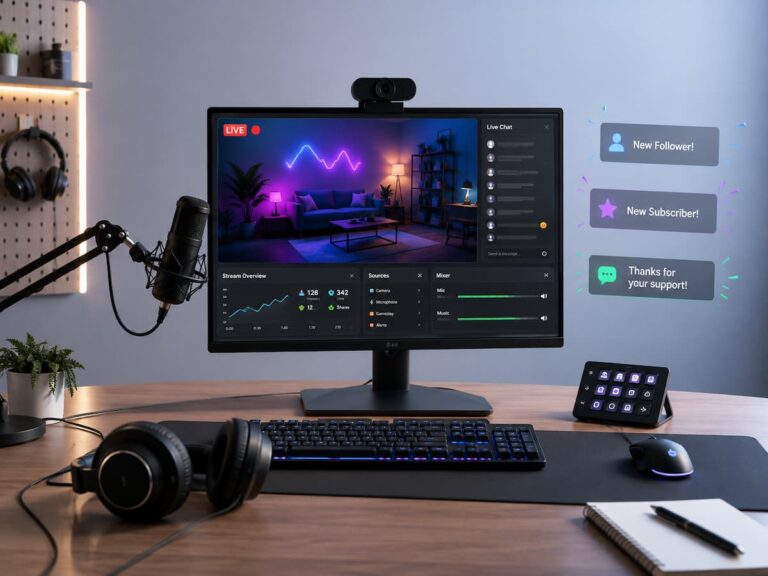
I still remember the night I finally hit “Go Live” for the first time. It was a Tuesday, around 11 PM, and I had spent three hours rearranging my desk lamp, restarting my router, and talking to myself in the mirror like a lunatic. My hands were shaking. My heart was somewhere in my throat. And when that little red “LIVE” badge finally appeared? Zero viewers. For twelve full minutes, I was broadcasting to absolutely nobody.
Then one person wandered in. Didn’t say anything. Just watched. I panicked and forgot every word I’d rehearsed. But here’s the thing—I kept going. And that one silent viewer turned into three, then eight, then someone actually typed “hello” in the chat. I felt like I’d just won an Oscar.
If that sounds familiar or terrifying or both—good. You’re in the right place. Live streaming isn’t about being perfect. It’s about being present. And after stumbling through dozens of awkward broadcasts, equipment disasters, and moments where I accidentally muted myself for twenty minutes without realizing it, I’ve figured out what actually matters when you’re starting from zero.
Why Most Beginners Never Hit “Go Live”
Let’s be honest. The hardest part isn’t the tech. It’s the fear. The fear of nobody showing up. The fear of saying something stupid. The fear of your cat walking across the keyboard and revealing your browser history to the internet.
But here’s what I’ve learned: every successful streamer you admire started with that same fear. The difference is they streamed anyway. The tech stuff? That’s learnable in a weekend. The confidence? That builds one broadcast at a time.
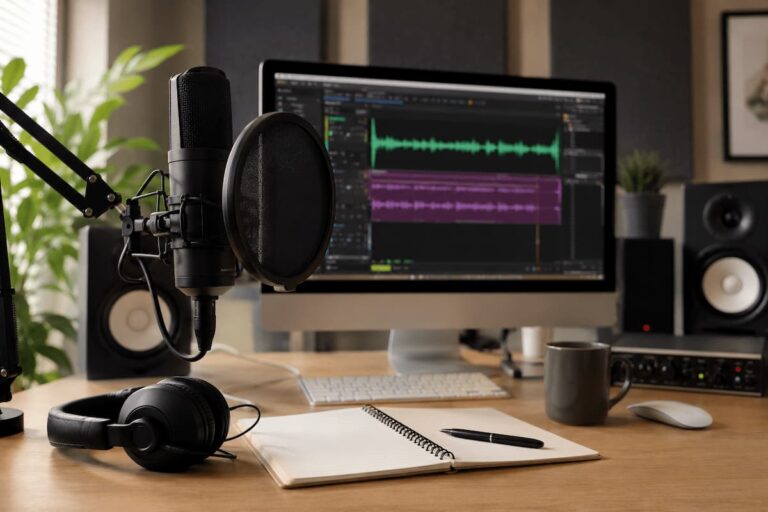
Before we dive into the nuts and bolts, let me save you from the rabbit hole I fell into. I spent weeks researching “the perfect streaming setup” before I ever went live. I was convinced I needed a $400 microphone, a dual-PC setup, and lighting that would make a Hollywood cinematographer jealous. Total waste of time. You don’t need any of that to start.
What You Actually Need (And What You Can Skip)
Here’s the reality check nobody gave me:
| Actually Need | Nice to Have Later | Honestly Skip It |
| A decent internet connection (5+ Mbps upload) | A dedicated streaming microphone | A second computer just for streaming |
| A smartphone or basic webcam | Ring light or softbox lighting | Elgato Stream Deck (for now) |
| Free streaming software (OBS, Streamlabs) | Green screen | Expensive capture cards |
| Something genuine to talk about | Custom overlays and alerts | A “perfect” script |
See that last row? “Something genuine to talk about”—that’s the one that matters most. I spent my first month streaming gameplay with zero commentary because I was too nervous to talk. Boring. Lifeless. Nobody stuck around. The moment I started treating the stream like a conversation with friends rather than a performance, everything changed.
Picking Your Platform: Don’t Spread Yourself Thin
This was my second big mistake. I tried to simulcast to Twitch, YouTube, and Facebook simultaneously because I figured more platforms = more viewers. Wrong. What I got was fragmented chat, confused branding, and the nagging feeling I was mediocre everywhere instead of good somewhere.
Pick one platform and commit to it for at least three months. Here’s how they differ in my experience:
- Twitch: Gaming-centric, highly engaged community, but discoverability is brutal for new streamers. You need to network hard.
- YouTube Live: Better discoverability through search; your VODs stay up forever (great for building a library), but live chat culture is less intense.
- Facebook Gaming: Easier to reach existing friends/family, but the gaming audience is smaller and less dedicated.
- TikTok LIVE: Explosive growth potential, very casual, but streams are shorter and the culture is… different. GrIt’s greator quick personality bursts.
I started on Twitch because that’s where my friends were. Three months in, I moved to YouTube because I cared more about a long-term content library than live chat energy. Neither choice was wrong—they were just right for different phases.
Setting Up Your First Stream Without Losing Your Mind
Okay, practical stuff. You downloaded OBS (or Streamlabs). You stared at the blank screen. You Googled “how to set up OBS scenes” and found tutorials that assumed you already knew what a “scene” was. I feel you.
Here’s the dead-simple version that got me streaming in under an hour:
- Open OBS. Don’t touch anything else yet.
- Click the “+” under “Sources” and add “Video Capture Device” (your webcam) and “Audio Input Capture” (your microphone).
- Under “Settings” > “Stream,” paste your stream key from your chosen platform. YouTube gives you one key that stays the same. Twitch changes it occasionally.
- Set your output resolution to 720p and bitrate to 2500-3500 kbps. Don’t go higher unless you know your internet can handle it—I learned this the hard way when my stream turned into a pixelated slideshow during a boss fight.
- Hit “Start Streaming.” That’s it. You’re live.
Everything else—scenes, overlays, transitions, alerts—can be added later. I didn’t add my first alert box until stream #15. Nobody cared. They were there for me, not for confetti animations.
💡 What I Learned the Hard Way
I once spent an entire 3-hour stream with my microphone muted because I was testing audio levels, forgot to unmute, and was too focused on the game to notice. Chat was dead silent. I assumed nobody was watching. Turns out 40 people were there, confused why this guy was just staring at the screen making no noise. Now? I pin a tiny “MIC ON” sticky note to the corner of my monitor before every stream. Low-tech. Foolproof. Saved my sanity.
What to Actually Do While You’re Live
The biggest question I had starting out: “What do I even talk about?” When nobody’s chatting back, it feels like shouting into a void. Uncomfortable. Vulnerable. But that’s exactly when you build the habit that makes you watchable.
I started narrating everything. “Okay, so I’m heading toward this building because I think there’s loot inside. The graphics here are actually pretty impressive for an indie game. Oh, wait, enemy—dodge left, okay, that was close.” Sounds ridiculous when you’re alone in your room. But viewers drop in midstream with zero context. If you’re silent, they leave in 3 seconds. If you’re talking, they might stick around to figure out what you’re about.
Some things I now keep in my mental back pocket for dead-air moments:
- Explain what I’m doing and why—like I’m teaching a friend
- Share a quick story from my day (keeps it personal)
- React to the game genuinely—over-the-top reactions feel fake, but genuine surprise or frustration is relatable
- Ask questions to the chat, even if nobody’s there yet—”What’s everyone playing this weekend?”
- Read patch notes or game updates out loud and give my take
The secret? Don’t perform. Just exist on camera like you would with a friend on the couch. The people who vibe with your actual personality will stay. The ones who want a caricature will leave—and that’s fine. You want the ones who stay.
Dealing With the Silence (And the Trolls)
Let’s talk about the two extremes of chat: nobody saying anything, and somebody saying something awful.
Empty chat used to destroy my confidence. I’d check my viewer count, see 12 people, see zero messages, and assume I was bombing. Then I learned most viewers lurk. They watch while cooking, while working, while falling asleep. Silence doesn’t mean failure. It means you’re the background company for someone’s evening. That’s actually a compliment.
Trolls are different. They want a reaction. My first troll told me my voice was “like a dying goose.” I laughed, said, “thanks for the feedback; dying goose is a new one,” and moved on. They left immediately. Don’t feed them. Don’t argue. Don’t get defensive. Your real audience is watching how you handle it.
Every platform has moderation tools. Learn them. Set up auto-moderation for slurs and spam. Give trusted regular viewers moderator status once you have them. But don’t over-moderate—some of my best moments came from weird, off-topic chat derails that I never would have planned.
The Schedule Nobody Tells You About
“Stream consistently!” everyone says. But what does that actually mean?
I tried daily streaming for two weeks. Burned out hard. My energy tanked. My content got worse. I started resenting the whole thing. Then I tried once a week. Too infrequent—people forgot I existed. No momentum.
What worked? Three times a week, same days, same rough time window. Tuesday and Thursday evenings, and Saturday afternoon. Not because some guru said so, but because that’s what fit my actual life. Consistency matters more than frequency. A viewer who knows you’ll be there Wednesday at 8 PM will plan around it. A viewer who sees you randomly once a month won’t.
But here’s the thing nobody admits: life happens. I missed streams for family emergencies, for mental health days, and for plain old “I don’t feel like it.” And you know what? I told my community honestly. “Hey, rough week; need tonight off, back Saturday. “They respected it more than a no-show or a fake “technical difficulties” excuse.
When Your Stream Looks or Sounds Bad
Technical issues are inevitable. I’ve had streams where my audio desynced by two seconds, where my webcam froze into a single awkward frame for an hour, and where my internet dropped mid-sentence and I vanished into the void.
My rule now: if the issue is minor, acknowledge it and keep going. “Sorry, my mic is a little crackly tonight; I’m working on it.” Viewers are forgiving if you’re honest. If it’s major—constant drops, unwatchable quality—end the stream early, fix it, and come back tomorrow. Don’t torture yourself or your audience with a broken broadcast.
Some quick fixes I’ve picked up:
| Problem | My Go-To Fix |
| Choppy video | Lower the bitrate in OBS by 500 kbps, or drop resolution from 1080p to 720p. 720p still looks great on most screens. |
| Echoey audio | Hang a blanket behind your monitor, put a towel under your keyboard, or just move closer to the mic and speak softer. Acoustic treatment doesn’t have to be fancy. |
| Dark, grainy webcam | Face a window. Seriously. Natural light is better than 90% of ring lights. If you stream at night, a single desk lamp aimed at the wall behind your monitor creates soft bounce light. |
| Dropped frames | Switch from WiFi to ethernet cable. I fought this for months before trying a $10 cable. Problem solved instantly. |
Growing Beyond Zero Viewers
The first 50 followers felt impossible. The next 500 felt accidental. Here’s what actually moved the needle for me, in order of impact:
1. I stopped streaming what I thought was popular and started streaming what I actually enjoyed. I tried “Among Us” during its peak because everyone was playing it. Hated every minute. Viewers could tell. Switched back to obscure indie games I genuinely loved it—suddenly I had a small but loyal crew who shared my weird taste.
2. I started clipping my best moments and posting them everywhere. A 30-second highlight of a ridiculous fail, a funny reaction, an unexpected win—these get way more reach than “hey come watch my 3-hour stream.” YouTube Shorts, TikTok, and Twitter. The clips bring people to the live streams.
3. I raided other small streamers. At the end of my stream, I’d send my viewers to someone playing a similar game with 3 viewers. Not big streamers—small ones. They’d remember me. Sometimes they’d raid back. Sometimes we’d collab. The small-streamer community is surprisingly supportive if you’re genuine.
4. I replied to every single comment on my VODs and social posts. Every one. For months. It was exhausting. But those people became regulars, then moderators, then friends. The “community” everyone talks about? It’s built one interaction at a time.
When You’re Ready to Level Up
After maybe 50 streams, I started caring about the polish. Not because I needed it to start, but because I wanted it to grow. Here’s the upgrade path I actually followed:
- Month 1-2: Smartphone or basic webcam, built-in mic, desk lamp lighting. Just go live.
- Month 3-4: Added a $50 USB condenser mic. Audio quality jumped dramatically. Viewers commented on it immediately.
- Month 5-6: Bought a cheap ring light. Face was visible. Looked less like a shadow creature.
- Month 7+: Started experimenting with OBS scenes, simple overlays, and a consistent “starting soon” screen. Nothing fancy—just not a blank black screen while I got settled.
Notice the timeline. Months, not days. There’s no rush. The gear doesn’t make the streamer. I’ve seen people with $5,000 setups and zero personality get 5 viewers, and people with a laptop webcam and a dream get 500. You know which one I’d rather watch.
Final Thoughts From Someone Who’s Still Figuring It Out
I’m not a streaming guru. I don’t have a million followers. I still have streams where technical issues ruin the night, where my energy is flat, where I question why I’m doing this at all. But I also have streams where someone tells me my content got them through a rough week, where a regular viewer becomes a real friend, and where I laugh so hard I cry on camera.
Those moments are why I keep hitting that “Go Live” button. Not for fame, not for money (though both are nice), but for the genuine human connection that happens when you let people into your world, unscripted and unfiltered.
Your first stream will be awkward. Your tenth will be slightly less awkward. Your hundredth will feel like second nature. There’s no shortcut. Just start. Be bad at it. Be bad at it publicly. That’s where the growth happens.
I’ll see you out there. Probably with a sticky note on my monitor.

Riley Bennett writes about content creation, streaming gear, and building efficient creator workflows at estergamer.com. After spending years testing equipment and figuring out what actually works versus what just looks impressive, Riley focuses on practical, no-nonsense advice for beginners starting from scratch. When not writing, Riley enjoys exploring new tech, refining home studio setups, and helping fellow creators skip the expensive mistakes that slow most people down. The goal is simple: honest guidance that gets real results without the marketing fluff.