After spending nearly a decade working from home — first as a freelance writer, then as a content creator — I have learned one hard truth: your workspace is either your greatest asset or your biggest liability. I have worked from kitchen tables, cramped corners, and even a closet-turned-office (yes, really). Each setup taught me something valuable about what makes a creative workspace truly comfortable and productive. In this guide, I will share the essential gear and principles that have transformed my workflow, without pushing any specific products. These are the fundamentals every creator should consider when building their ideal workspace.
1. The Foundation: Ergonomic Setup
Before you buy a single piece of gear, you need to understand the principles of ergonomics. I learned this the hard way after developing chronic wrist pain from years of poor posture. Ergonomics is not about expensive equipment — it is about positioning your body correctly to minimize strain during long creative sessions.
The core idea is simple: your body should be in a neutral position. Your feet are flat on the floor, knees at roughly a 90-degree angle, wrists straight when typing, and your monitor at eye level so you are not craning your neck. When I finally adjusted my setup to follow these principles, my daily energy levels improved dramatically. I could work longer without feeling exhausted, and my creative output increased noticeably.
Key Ergonomic Principles:
- Keep your monitor at arm’s length and at eye level
- Position your keyboard so your elbows stay at 90 degrees
- Ensure your feet rest flat on the floor or on a footrest
- Take micro-breaks every 20-30 minutes to stretch and move
One mistake I see creators make repeatedly is prioritizing aesthetics over ergonomics. A beautiful desk setup means nothing if it leaves you with back pain after two hours. Start with ergonomics, then build aesthetics around it. Your future self will thank you.
2. Choosing the Right Desk
Your desk is the centerpiece of your workspace, and choosing the right one matters more than you might think. When I first started working from home, I used a standard dining table. It was too low, too shallow, and left me with nowhere to put my reference materials. The discomfort was constant, and I did not even realize how much it was affecting my focus until I upgraded.
The ideal desk depth is at least 24 inches, giving you enough room for your monitor, keyboard, and some workspace in front. Width depends on your needs — if you use multiple monitors or need space for sketching, aim for 55 inches or more. Height is critical: standard desk height is around 29 inches, but this does not work for everyone. Taller individuals may need a higher desk, while shorter people might benefit from a lower one or an adjustable option.
Standing desks have become popular for good reason. The ability to alternate between sitting and standing throughout the day can reduce fatigue and improve circulation. I started using a standing desk three years ago, and the change was remarkable. I no longer feel that afternoon slump as intensely, and my energy stays more consistent. If a full standing desk is not in your budget, consider a desktop converter that lets you raise your monitor and keyboard when you want to stand.
| Desk Type | Best For | Considerations |
|---|---|---|
| Fixed-Height Desk | Budget-conscious creators with consistent needs | Measure carefully; may need a footrest or monitor riser |
| Standing Desk | Creators who want flexibility and movement | Requires anti-fatigue mat; start with short standing sessions |
| Corner Desk | Small spaces or multi-monitor setups | Can feel cramped; ensure adequate depth |
| Drafting Table | Artists, designers, and illustrators | Adjustable angle is essential; a separate computer setup may be needed. |
3. The Chair That Supports Your Body
If there is one piece of workspace gear worth investing in thoughtfully, it is your chair. You will spend six to ten hours a day in it, and a poor chair will slowly degrade your posture, energy, and health. I used a basic office chair for my first two years of freelancing, and I developed lower back pain that took months of physical therapy to resolve.
A good chair should have adjustable lumbar support, seat height, armrests, and recline tension. The lumbar support is particularly important — it should fit the natural curve of your lower back, not push against it uncomfortably. Armrests should be adjustable so your shoulders stay relaxed while typing. If your chair has fixed armrests that are too high or too low, they can cause more harm than good.
Seat depth matters too. There should be about two to three fingers of space between the back of your knees and the seat edge. If the seat is too deep, it cuts off circulation to your legs. If it is too shallow, you do not get adequate thigh support. I spent an entire afternoon testing chairs before finding one that fit my body properly, and it was one of the best uses of my time.
4. Monitor Setup and Eye Health
Your monitor is your window into your work, and how you set it up directly impacts your eye health and productivity. When I switched from a laptop-only setup to a proper external monitor, my entire workflow changed. I could see more of my projects at once, my neck stopped hurting from looking down, and I felt less mentally fatigued at the end of the day.
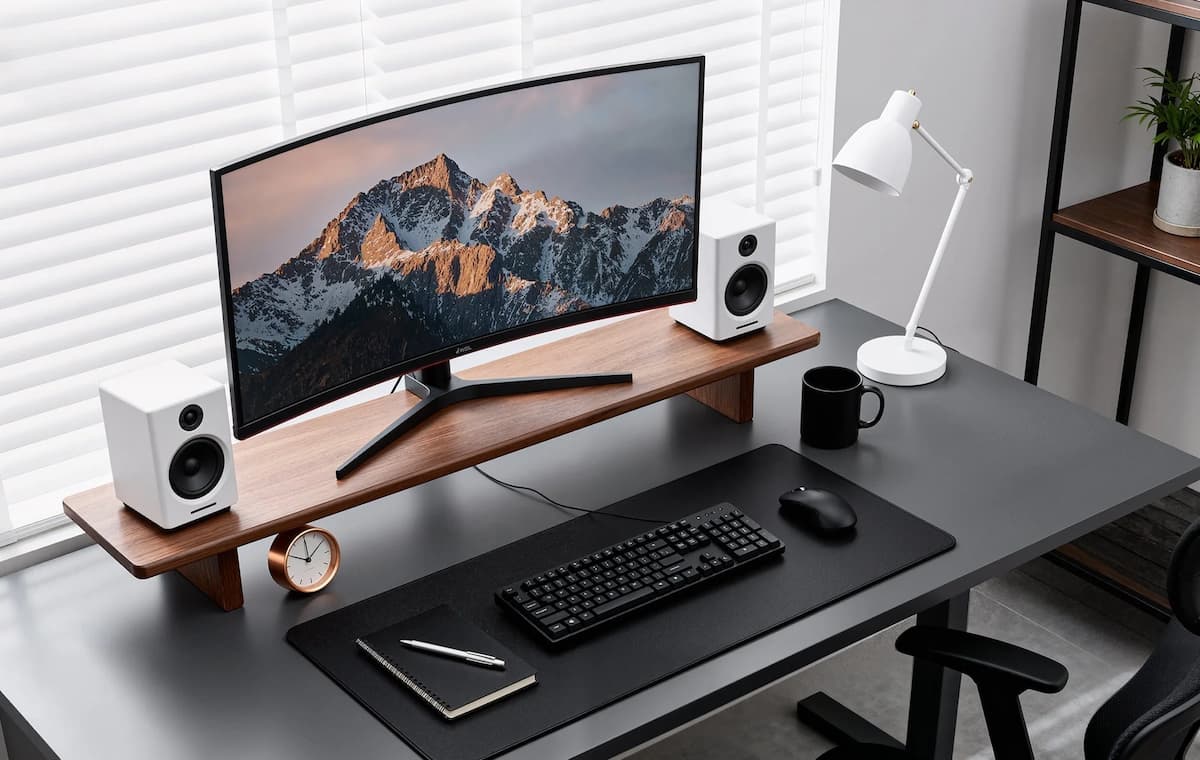
The top of your monitor should be at or slightly below eye level. This keeps your neck in a neutral position. The monitor should also be about an arm’s length away—roughly 20 to 28 inches. If you find yourself leaning forward to read text, the monitor is too far or the text is too small. Adjust your display scaling rather than straining your eyes.
For creators, screen real estate is invaluable. Whether you are editing video, designing graphics, or writing with multiple reference documents open, having more visible space reduces the mental load of switching between windows. A dual-monitor setup is common among creators, but even a single large monitor can be transformative. The key is ensuring your primary monitor is positioned directly in front of you, not off to one side, which causes neck rotation and strain over time.
Blue light and screen glare are real concerns. I used to work with a window behind my monitor, creating terrible glare that gave me headaches. Now I position my setup perpendicular to windows, and I use a monitor with an anti-glare coating. For evening work, I reduce blue light through software settings or use glasses designed to filter it. My sleep quality improved noticeably after making this change.
5. Lighting That Works With You
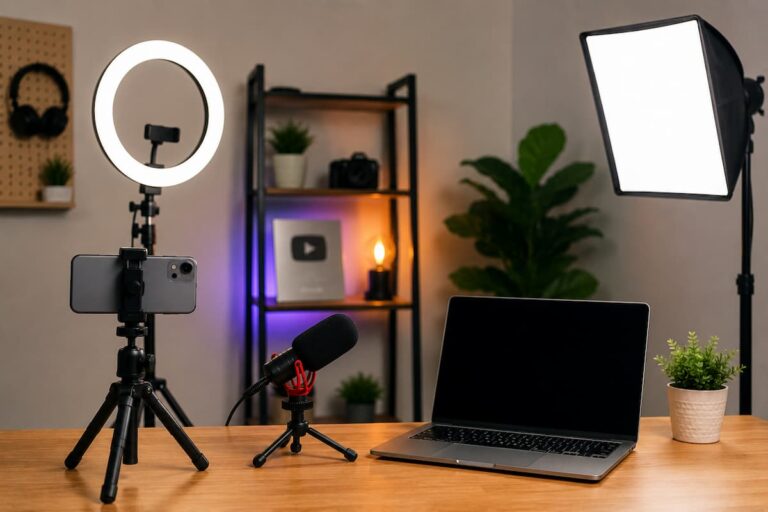
Lighting is often the most overlooked aspect of a workspace, yet it has a profound effect on mood, energy, and eye strain. I used to work in a dimly lit room, relying solely on my monitor’s brightness. By mid-afternoon, my eyes would burn, and I would feel mentally drained. When I finally invested in proper lighting, it was like switching from a cave to a sunlit studio.
The ideal workspace uses layered lighting: ambient light for general illumination, task lighting for your immediate work area, and accent lighting to reduce contrast between your screen and the surrounding space. Overhead lighting alone is usually too harsh and creates shadows. A desk lamp with adjustable brightness and color temperature gives you control over your immediate environment.
Color temperature matters more than most people realize. Cool light (higher Kelvin temperatures) promotes alertness and is good for morning and midday work. Warm light (lower Kelvin temperatures) is easier on the eyes in the evening and can help signal to your body that the day is winding down. I use adjustable lighting that lets me shift from cool to warm throughout the day, matching my natural energy cycles.
Natural light is the gold standard, but it needs to be managed. Direct sunlight on your monitor creates glare; sunlight behind your monitor creates contrast issues. The best placement is natural light coming from the side. If you have a window, position your desk so the light hits you from the left or right, not from the front or back. I rearranged my entire office to achieve this, and the difference in my afternoon energy was immediate.
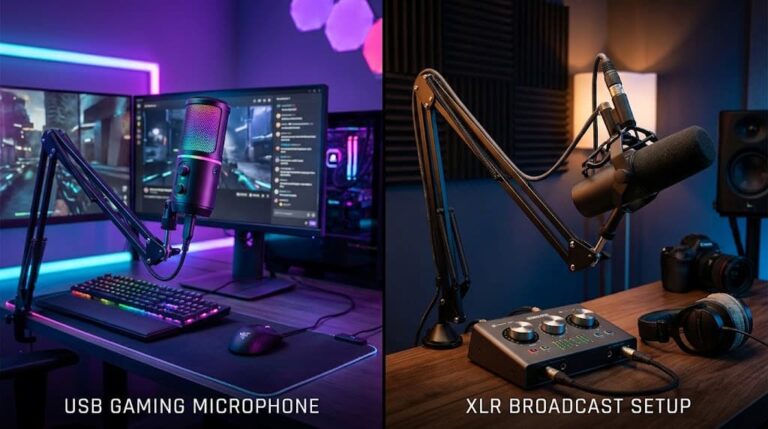
6. Audio Considerations for Creators
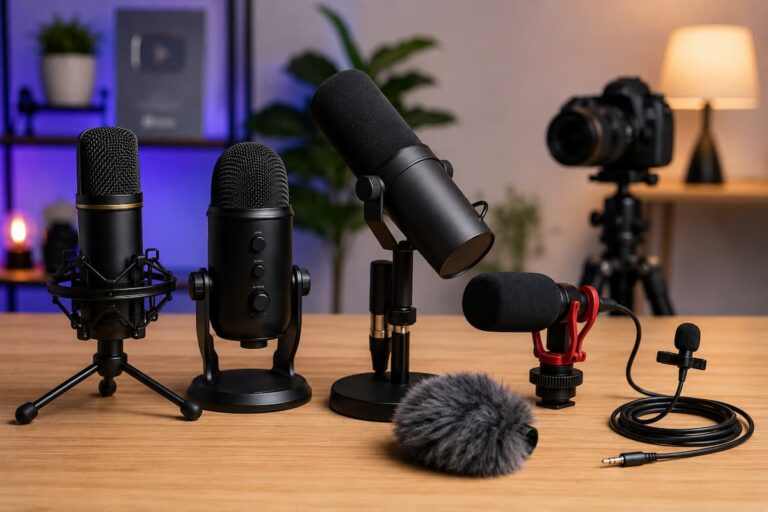
Audio might not seem like a workspace essential until you consider how much sound affects your concentration and creative flow. For years, I worked in a noisy environment with constant household distractions. Every interruption broke my focus, and getting back into a creative flow state took 15 to 20 minutes each time. Creating an audio-friendly environment changed everything.
If you record audio—podcasts, voiceovers, video narration—your room’s acoustics matter. Hard surfaces create echo and reverb that make recordings sound amateur. Soft furnishings, curtains, rugs, and even strategically placed cushions can dramatically improve sound quality. I once recorded a voiceover in a closet full of clothes because it was the most acoustically dead space in my house. It sounded surprisingly professional.
For general work, noise management is key. Some people thrive with background noise; others need complete silence. I fall somewhere in between—I use instrumental music or ambient soundscapes to mask household noise without distracting me with lyrics. The key is finding what works for your brain. Experiment with different audio environments and notice how they affect your focus and creative output.
If you share your space with others, consider how your audio affects them, too. Headphones are a courtesy as much as a tool. Open-back headphones provide a more natural sound for critical listening, but leak audio. Closed-back headphones isolate sound better and are more considerate in shared spaces. I keep both types and choose based on what I am doing and who is around.
7. Cable Management and Organization
Cable management is the unsung hero of a comfortable workspace. I used to have a rat’s nest of cords under my desk that I dreaded looking at. Every time I needed to plug something in, I had to crawl under the desk and untangle wires. It was frustrating, time-wasting, and honestly embarrassing when I had video calls.
Good cable management is not about buying expensive organizers. It is about having a system. Start by identifying which cables you actually need daily. The ones you rarely touch can be bundled and routed out of sight. The ones you use frequently should be accessible but tidy. Under-desk trays, cable clips, and velcro ties are simple tools that make a huge difference.
Wireless peripherals reduce cable clutter significantly. A wireless keyboard and mouse eliminate two cables immediately. Wireless charging pads can reduce the number of charging cables visible on your desk. I gradually transitioned to wireless options over two years, and my desk feels cleaner and more intentional now.
But do not go wireless just for aesthetics. Some wireless devices have latency issues that matter for gaming or precise creative work. Know your priorities. For me, the slight latency of a wireless mouse is unnoticeable for writing and design work, but I keep a wired backup for video editing where precision matters more.
Quick Cable Management Steps:
- Unplug everything and start fresh
- Group cables by function (power, data, audio)
- Use velcro ties to bundle related cables
- Route power cables along the back of your desk
- Label cables at both ends for easy identification
- Leave a little slack for adjustments, but not enough to tangle
8. Accessories That Make a Difference
Beyond the big items, several smaller accessories can dramatically improve your workspace comfort. These are the things I did not know I needed until I tried them, and now I cannot work without them.
A wrist rest for your keyboard and mouse pad can prevent wrist extension, which leads to strain over time. I was skeptical at first — it seemed like an unnecessary add-on. But after using one for a month, I noticed my wrists felt less tight at the end of the day. The key is choosing a rest that is the right height for your setup. Too high or too low defeats the purpose.
A document holder might seem old-fashioned in the digital age, but if you reference physical documents or books while working, it keeps your neck in a neutral position. I use one when editing printed manuscripts, and it prevents the constant looking-down motion that used to give me neck pain. Even a simple stand for your tablet or phone can serve a similar purpose.
Footrests are underrated, especially for shorter individuals or those with fixed-height desks. When your feet do not reach the floor comfortably, your legs and lower back compensate, creating tension. A simple footrest — even a sturdy box or stack of books — can solve this. I used a footrest for two years before getting an adjustable desk, and it made a noticeable difference in my comfort.
Desk pads or mats provide a smooth surface for mouse movement and protect your desk from wear. They also add a tactile element that makes the workspace feel more finished. I prefer a large pad that covers most of my work area, giving me consistent surface texture everywhere I might place my mouse or write notes.
9. Creating the Right Environment
Gear is only part of the equation. The environment around your workspace affects your comfort and creativity just as much. I have worked in sterile, utilitarian spaces and in warm, personalized environments, and the difference in my creative output is stark.
Temperature matters. Most people work best between 68 and 72 degrees Fahrenheit, but personal preference varies. I run warm, so I keep a small fan on my desk for personal airflow without cooling the entire room. If you run cold, a space heater or heated blanket might be essential. The goal is maintaining a temperature where you are not thinking about being too hot or too cold—it should fade into the background.
Plants add life to a workspace and can improve air quality. I keep a small pothos on my desk and a snake plant in the corner. They require minimal care, survive my occasional neglect, and make the room feel less like an office and more like a creative studio. Even a single plant can change the energy of a space.
Personal touches matter too. A few meaningful items—a photo, a small piece of art, a souvenir from a trip—make the space feel like yours. I have a small ceramic bowl I made in a pottery class that sits on my desk. It serves no practical function, but seeing it reminds me that I am a creative person, not just a content-producing machine. That mental shift is valuable.
Air quality is often ignored but increasingly important, especially if you spend long hours in one room. A small air purifier can reduce dust and allergens, making breathing easier and reducing fatigue. I added one to my office after noticing I felt stuffy and tired by afternoon. The improvement was subtle but consistent — I simply felt clearer-headed throughout the day.
10. Building on a Budget
Not everyone can afford to buy everything at once, and that is completely fine. I built my current workspace over five years, piece by piece. The key is prioritizing based on what will make the biggest difference in your comfort and productivity right now.
If you are starting from scratch, prioritize in this order: a proper chair, a desk at the right height, and a monitor at eye level. These three items address the most common sources of physical strain. Everything else can be added over time. I spent my first year with a good chair and a makeshift desk, and it was still a massive improvement over my kitchen table setup.
Look for secondhand options for larger items. Quality office chairs and desks often appear on local marketplaces when businesses close or upgrade. I found my first decent desk for $40 from a closing law office. It was scratched and boring, but it was the right height and solid wood. Aesthetics can be addressed later; function comes first.
DIY solutions are your friend. A stack of books can raise a monitor to the right height. A cardboard box can serve as a footrest. A tension rod and curtain can block harsh window light. I used a $5 pool noodle cut in half as a wrist rest for my first year. It was not pretty, but it worked. Do not let the perfect be the enemy of the good when building your workspace.
| Priority Level | Item | Budget-Friendly Alternative |
|---|---|---|
| Essential | Ergonomic chair | Secondhand office chair with adjustable features |
| Essential | Proper desk height | Adjustable desk legs or risers for the existing table |
| Essential | Monitor at eye level | Stack of books or a sturdy box |
| Important | Task lighting | Adjustable desk lamp from a home store |
| Important | Keyboard and mouse positioning | DIY wrist rests and careful desk arrangement |
| Nice to Have | Standing desk | Desktop converter or scheduled walking breaks |
| Nice to Have | Acoustic treatment | Soft furnishings, curtains, and cushions |
Summary and Key Takeaways
What Really Matters for a Comfortable Creator Workspace
After years of experimentation, adjustments, and learning from my mistakes, here are the core principles I believe every creator should apply:
- Ergonomics first, aesthetics second. A beautiful workspace means nothing if it leaves you in pain. Start with proper positioning and build beauty around it.
- Your chair is your most important investment. You spend more time in it than anywhere else. Prioritize fit and adjustability over looks.
- Lighting affects everything. Energy, mood, eye health, and sleep quality all tie back to how you light your workspace. Layer your lighting and manage natural light carefully.
- Build gradually. You do not need a perfect setup tomorrow. Start with the essentials and upgrade over time as your budget and needs evolve.
- Personalize your environment. A workspace that feels like yours, not a generic office, supports creativity and makes long hours more sustainable.
- Listen to your body. Discomfort is feedback, not something to push through. If something hurts, something needs to change.
Creating a comfortable workspace is not about buying the most expensive gear or following the latest trends. It is about understanding your body, your work habits, and your creative needs, then building a space that supports all three. The best workspace is the one that lets you forget about your environment and focus entirely on your work.
Whether you are a writer, designer, video editor, podcaster, or any other kind of creator, your workspace is the foundation of your creative practice. Invest in it thoughtfully, adjust it as you learn, and treat it as an evolving project rather than a one-time setup. The comfort and productivity you gain will compound over years of creative work.

Riley Bennett writes about content creation, streaming gear, and building efficient creator workflows at estergamer.com. After spending years testing equipment and figuring out what actually works versus what just looks impressive, Riley focuses on practical, no-nonsense advice for beginners starting from scratch. When not writing, Riley enjoys exploring new tech, refining home studio setups, and helping fellow creators skip the expensive mistakes that slow most people down. The goal is simple: honest guidance that gets real results without the marketing fluff.